

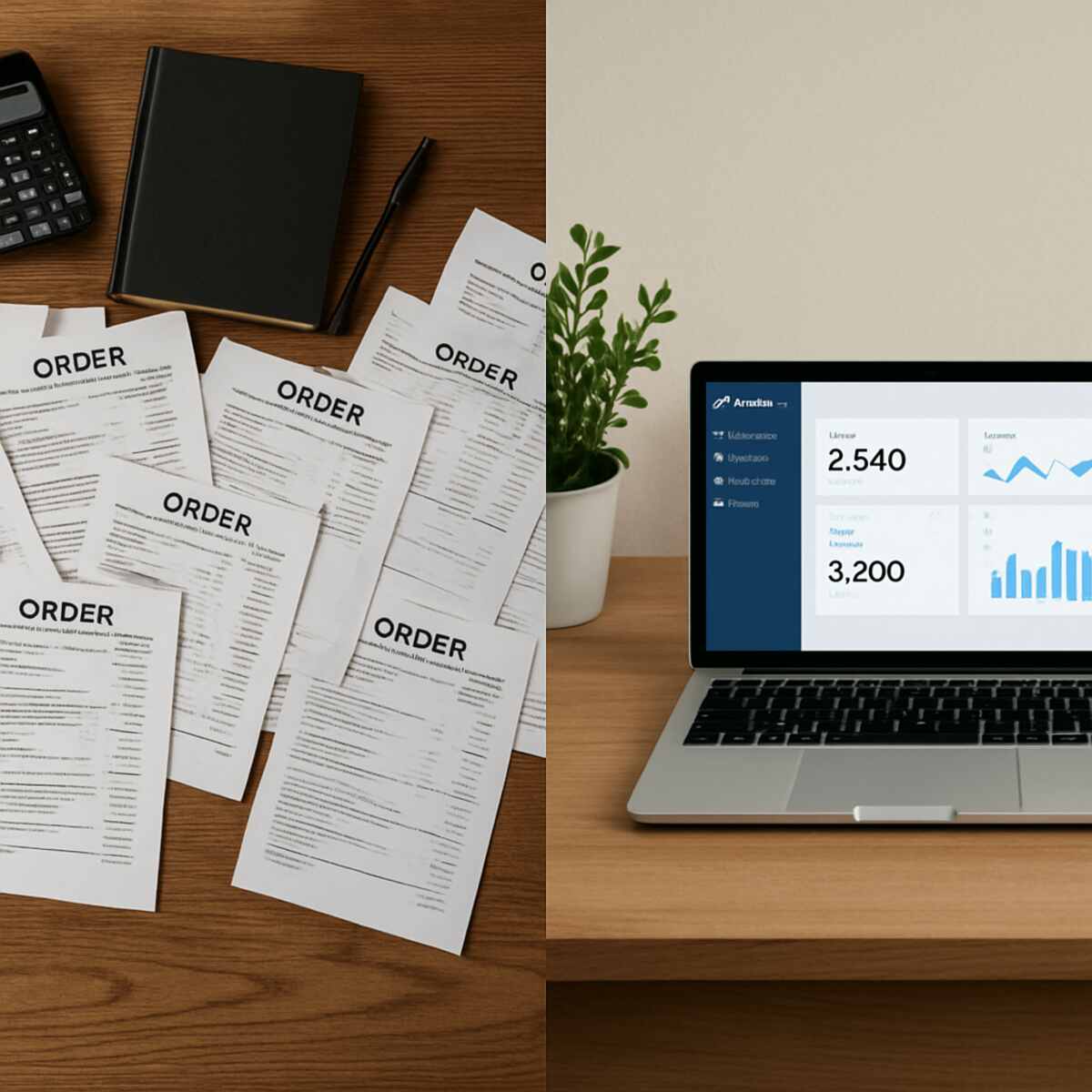
Imagine you just sold 500 units of your handmade candles overnight. It is a dream come true for any online seller, until you realize the looming reality of your morning. You now have to manually type 500 addresses into a shipping label maker and check your stock one by one. Suddenly, a massive success feels like a logistical nightmare. This sudden panic is the exact moment when manual processes become a liability. Select the best dropshipping order management.
Every time a shopper clicks “Buy,” a specific chain of events begins. This journey is known as the order lifecycle, covering everything from receiving payment to boxing the item. Handling this cycle yourself makes sense at first. Yet, as your business grows, copying customer details leaves room for costly typos. According to ecommerce fulfillment studies, human error during manual data entry frequently causes wrong items to ship.
How do you know when it is time to upgrade your daily routine? The transition from paper-based to digital-first workflows usually happens when the pain outweighs the pride of doing it all yourself. Look for these 5 common signs your business has outgrown manual processing:
- Spending more than an hour a day copying and pasting tracking numbers.
- Accidentally selling a product that is actually out of stock.
- Losing track of specific customer requests in a messy email inbox.
- Delaying shipments because you simply cannot print shipping labels fast enough.
- Feeling dread instead of excitement when a large batch of orders comes in.
Fixing these growing pains requires a shift toward workflow automation. Think of your online store like a busy restaurant. Instead of the waiter walking a paper ticket back to the kitchen, a computer instantly flashes the order to the chef. Automation acts as an invisible relay system. It tells your warehouse exactly what was bought and automatically updates your available stock without requiring any human input.
In practice, making this switch gives solo entrepreneurs their lives back. Small business owners frequently report saving up to 15 hours a week just by letting software handle the repetitive tasks. When you set up Automated Order Processing for Ecommerce Order Management, you stop acting as a data entry clerk. Exploring the manual vs automated order entry benefits reveals a clear winner for your mental health and your schedule. You finally get to focus on designing new products, delighting your customers, and growing your brand.
Why Typing Shipping Labels is Killing Your Profit Margin
Every time a customer buys your product, a hidden stopwatch starts ticking. This is your Order Cycle Time—the total minutes required to move a purchase from a digital shopping cart into a physical shipping box. If you are copying customer addresses by hand, a single order might take ten minutes to fulfill. That seemingly small task creates a hard mathematical ceiling on your growth. Even working efficiently without breaks, you can only pack forty-eight boxes in an eight-hour day. At that pace, a sudden viral sales spike won’t bring you joy; it will bring total operational paralysis.
Fatigue eventually sets in during those long hours, introducing the massive cost of human error to your bottom line. Imagine accidentally typing “Unit 4” instead of “Unit 40” on a shipping label. That tiny slip means a lost package, paying for replacement inventory, doubling your postage costs, and apologizing to a frustrated buyer. The financial impact of one single mistake often wipes out the profit from five perfect sales. Eliminating manual data entry errors is not just about daily convenience; it is about actively protecting your hard-earned money.
Hiring extra hands to help might seem like the logical fix, but more people just multiply the chances for miscommunication and mistakes. True growth requires reducing order cycle time with software that handles repetitive typing instantly and perfectly. Instead of throwing payroll at the problem, you need a system that acts as a flawless digital relay. If that sounds like the relief your business needs, you might naturally wonder: what exactly is automated order processing?
What Exactly is Automated Order Processing?
Escaping the manual typing trap means letting software handle the heavy lifting between a customer’s click and the delivery truck. At its core, automated order processing is a digital relay system that instantly moves purchase information without human intervention. By removing the need to copy addresses by hand, workflow automation turns a chaotic inbox into a smooth, self-driving machine.
The moment a shopper buys your product, this system kicks into gear with reception and validation. The software instantly captures the details and performs immediate data validation. It automatically checks that the shipping address is real, the payment is secure, and the requested items are actually sitting on your shelves.
Once verified, the system immediately moves to order routing. Rather than you drafting an email to your storage room, the software electronically routes perfect instructions directly to the people packing your boxes. This initiates fulfillment, which is simply the physical act of picking the items, printing the label, and handing the package to a shipping carrier.
These seamless digital handoffs happen entirely behind the scenes in mere seconds. To truly understand how this invisible relay links your online storefront to a physical cardboard box, the ‘Kitchen Analogy’ provides a perfect visualization.
The ‘Kitchen Analogy’: Visualizing Your Digital Order Flow
Think of your online store as a bustling restaurant. The dining room where customers browse is your “front-end”—the beautifully designed website they interact with. But the real work happens in the kitchen, or the “back-end.” When a diner orders, the waiter doesn’t cook the meal; they instantly pass the ticket to the chefs. In ecommerce, your automation software acts as that reliable waiter, seamlessly carrying digital order data from your storefront directly to your warehouse shelves.
Growing your business is like adding an outdoor patio to that same restaurant. Whether a shopper buys a candle from your website, a social media app, or Amazon, these different “dining rooms” all send tickets to a single kitchen. By funneling every purchase into a centralized dashboard for multi-channel sales, the back-end software ensures your packing team never gets overwhelmed by scattered requests.
Catching those tickets efficiently is only half the battle, since a busy kitchen must also know exactly what ingredients remain in stock. If everyone orders the same item, you need a system to prevent selling out before menus update. Synchronizing inventory across multiple channels automatically ensures you never sell a product you don’t actually have.

How to Synchronize Inventory Across Multiple Channels Automatically
Imagine someone buys your last ceramic mug on Etsy, but another shopper buys that same mug on your Shopify site minutes later. You have two orders but only one mug, causing an awkward apology and a negative review. To avoid this overselling trap, you need a “Single Source of Truth” (SSOT)—one master tally of your stock that tells every storefront exactly what is currently available.
Relying on manual end-of-day updates leaves a dangerous gap where items appear available when they aren’t. Instead, automated software performs real-time inventory synchronization across channels. When someone buys a product on one website, the system instantly subtracts it from your SSOT master list and automatically updates your other shops to show zero remaining.
Linking stock levels between two platforms follows three simple steps:
- Connect your sales channels (like Shopify and Etsy) to a central inventory app.
- Match products using a unique ID (like a SKU) so the software knows the Etsy mug is the exact same physical mug on Shopify.
- Enable automated syncing, allowing the software to adjust your numbers up or down instantly as sales happen.
Installing this safety net provides scalable fulfillment solutions for growing brands. By removing the constant panic of double-checking spreadsheets, you can trust your numbers are always accurate. This reliable foundation naturally leads to the next phase: building your centralized dashboard.
Building Your Centralized Dashboard: The Brain of Your Business
Logging into five different websites every morning just to see what you need to ship is a recipe for burnout. Instead, successful sellers rely on a centralized dashboard for multi-channel sales. Think of this tool as an air traffic control tower for your business. It pulls every purchase from your website and marketplace accounts into one single, organized screen, eliminating the stressful hunt for daily tasks.
This unified view completely transforms how you monitor your overall business health. You can easily toggle views between different storefronts to compare daily performance, or quickly spot “stuck” orders—like a package missing an apartment number—before an unhappy customer complains. While developers might call this complex setup enterprise resource planning for digital commerce, it is essentially just a smart command center that highlights minor problems before they escalate into major headaches.
With your entire operation visible on one screen, you can confidently trust that no request will slip through the cracks of a messy inbox. This centralized control naturally facilitates the 4-step journey of an automated order.
The 4-Step Journey of an Automated Order
When a customer clicks “Buy” on a handmade mug, a digital system kicks in like a well-oiled restaurant kitchen. Learning how to automate ecommerce fulfillment workflow tasks means mastering this invisible relay race.
The journey follows a simple, four-step path to get that product out the door:
- Receive: The software catches the purchase details from your website instantly.
- Verify: It checks your digital shelves to ensure the mug is in stock, flagging any address typos for you to fix.
- Update: It reserves the item so nobody else can buy it.
- Ship: The system prepares the mailing details, leaving the physical packing to you.
At that final stage, the real magic happens through Automated Label Generation. The software pulls the buyer’s exact address straight from checkout—completely eliminating manual typing errors—and instantly creates a printable postage label. Once you pack the box and print that label, a Tracking Trigger automatically fires off an email to your customer. This delivers the automated shipping and tracking notifications shoppers expect today, all without you ever hitting “send.”
While the software handles the digital paperwork, your only manual job is safely boxing up the product and attaching that sticker. This smooth process works beautifully when you ship everything from a single garage. But when you grow enough to store products in multiple locations, intelligent order routing becomes your new secret weapon.
Why Intelligent Order Routing is Your New Secret Weapon
Imagine your business outgrows the garage, and you now store inventory in both New York and California. If a customer in Los Angeles buys a handmade mug, mailing it all the way from New York wastes time and money. This scenario perfectly answers what is intelligent order routing for retail: it acts as a digital traffic cop for your inventory. The software automatically checks the buyer’s address and assigns the order to the closest facility with the item in stock.
Behind the scenes, the system makes these decisions using logic-based rules. You can program the software with specific priorities, like “always choose the warehouse with the cheapest postage rate” or “pick the location that delivers in two days.” By consistently shipping from the smartest location, you are reducing order cycle time with software while simultaneously cutting down your shipping costs and lowering your carbon footprint. The mug simply travels fewer miles, arriving faster and cheaper.
Relying on this smart routing means you never have to manually calculate shipping zones or guess which warehouse should fulfill a purchase. The technology quietly handles the complex math of geography and stock levels in milliseconds. To ensure these routing decisions execute flawlessly, your systems must communicate seamlessly, eliminating the ‘copy-paste’ trap through software API integration.
Eliminating the ‘Copy-Paste’ Trap: Software API Integration Simplified
You probably already use a handful of great tools to run your business, like an online storefront for sales and a separate app for printing postage. The hidden nightmare for many growing shops is moving information between these disconnected systems, which often traps owners in a cycle of manually copying addresses and order numbers. Relying on this tedious data entry not only drains hours from your week but also guarantees that costly typos will eventually slip through.
Connecting these digital islands requires a bridge, which the tech world calls an Application Programming Interface, or API. Think of an API like a fluent translator that lets your shopping cart speak directly to your shipping software in milliseconds. When you set up a warehouse management system API integration, for example, your online store automatically tells your storage facility exactly what to pack without a human ever touching a keyboard.
The best part is that you do not need to be a software engineer to build these bridges. Modern platforms now offer “no-code” integrations, meaning you simply click a few buttons to authorize the connection between two apps you already use. This accessible form of robotic process automation for online stores allows a small handmade soap business to seamlessly link their website to their delivery carrier, letting the software do the heavy lifting.
Before buying a new app, always check its “integrations” or “partners” page to ensure it naturally plays nice with your existing setup. Once your systems communicate effortlessly, you can use that shared data to automate shipping and tracking notifications.
How to Automate Shipping and Tracking Notifications
Hitting “Buy” online and immediately refreshing an inbox waiting for a receipt creates a nervous waiting period called “post-purchase anxiety.” It leads to the most dreaded acronym in e-commerce: WISMO, or “Where Is My Order?” Answering these status questions manually drains your time. By setting up automated shipping and tracking notifications, you can proactively slash customer support emails by 50 percent. Your software simply sends an alert the second a shipping label prints.
Instead of sending a boring, robotic alert, you can build trust by customizing these messages with your unique brand voice. To eliminate buyer confusion entirely, ensure your email template automatically includes these four essential details:
- The exact items packed in the box
- A direct, clickable tracking link
- An estimated delivery date
- Clear instructions for streamlined returns and exchange workflows
Proactive updates turn a moment of uncertainty into a reassuring customer experience. When shoppers feel informed every step of the way, they trust your business more and email your support inbox less. Mastering this automated communication is the perfect foundation for scaling up, particularly when it comes to managing the holiday rush.
Managing the Holiday Rush Without Losing Your Mind
Imagine launching a Black Friday promotion and waking up to ten times your normal order volume. While this sounds great, managing high volume seasonal demand peaks manually is a fast track to disaster. Human hands can only fold boxes and print shipping labels so quickly before exhaustion sets in. During intense 48-hour sales events, manual fulfillment teams inevitably fall behind, leading to delayed shipments, overlooked details, and frustrated buyers.
This is where the magic of “system elasticity” steps in to save the day. Think of elasticity like a digital accordion that expands instantly to handle thousands of orders and shrinks when things get quiet. By adopting scalable fulfillment solutions for growing brands, you avoid the panic of hiring temporary warehouse staff at the last minute. The software routes and processes a thousand orders just as smoothly as ten, letting you prepare for high-volume peaks months in advance without ballooning your payroll.
Surviving the seasonal rush with your sanity intact proves your business is built for long-term survival. When automation handles the invisible heavy lifting of routing data, your team can focus entirely on packing boxes beautifully. However, even with flawless shipping workflows, a percentage of those holiday gifts will inevitably come back. Once you master outbound shipping, the next vital step is protecting your profit by streamlining returns and exchanges.
Streamlining Returns and Exchanges: The Final Frontier
Receiving an email from a customer returning a sweater that didn’t fit often triggers dread. Handling items coming back—an industry process called Reverse Logistics—often becomes a chaotic mess of lost emails and untracked boxes. Streamlining returns and exchange workflows transforms this frustrating chore into a completely hands-free operation.
Instead of trading emails for days, you can launch a Self-Service Return Portal. Think of this as a digital customer service desk that never closes. The shopper simply types in their order number and instantly prints a shipping label. Comparing manual vs automated order entry benefits here is night and day: you reclaim hours of administrative time, and returned inventory is automatically tracked so it never vanishes into a dark warehouse corner.
A smooth system actually protects your revenue. To build a highly effective ‘Easy Return’ policy, ensure your workflow features:
- Instant Label Generation: Automate return labels to save time and eliminate customer frustration.
- Store Credit Incentives: Turn a negative into a positive opportunity by offering bonus credit instead of a refund.
- Automated Stock Updates: Sync returned items instantly so they are available for resale upon inspection.
Turning a disappointed buyer into a loyal fan proves your operations are truly working. Once automation handles both your outbound shipping and inbound returns, your business foundation is fully set. The final step is choosing the right software to power this entire engine.
Choosing the Right Software: A Beginner’s Roadmap
Buying a fancy kitchen gadget only to realize a basic knife works better is a common frustration, and buying order software is similar. Your monthly order volume is the single most important number to know before shopping. This total dictates whether you need a simple tool or a highly complex system.
Software generally falls into two categories: Starter and Enterprise. Starter platforms act like a neighborhood bakery, perfect for processing a few dozen daily orders without confusing you with unnecessary buttons. Enterprise systems run like massive commercial food factories designed for thousands of daily shipments. Picking the right category prevents over-buying expensive features you will never use.
Regardless of your category, every tool must include three core abilities to keep operations running smoothly. You need software that instantly syncs inventory, automatically prints shipping labels, and seamlessly connects to multiple sales channels. Prioritizing these exact features guarantees you are investing in scalable fulfillment solutions for growing brands that survive sudden viral moments.
Making this choice carefully secures the foundation of your digital storefront. Once your chosen software is humming quietly in the background, you are truly ready to handle massive surges in customer demand. Implementing best practices for backend operations scaling ensures your business expands without dropping a single package.
Best Practices for Scaling Your Backend Operations
You no longer have to look at a flood of new sales as a daunting mountain of paperwork. Instead of manually typing addresses and frantically checking warehouse shelves, you now understand how software can act as an invisible relay team, seamlessly moving a purchase from the digital shopping cart right to the shipping label printer. You have the knowledge to step out of the everyday packing chaos and let the system do the heavy lifting.
Making this transition doesn’t require a massive overnight overhaul of your entire business. The smartest approach is to build your new workflow gradually, allowing you to test the waters and gain confidence. To help you start small, here is a practical 4-week plan to guide your journey from manual data entry to a fully connected system:
- Week 1: Track the Tape. Spend this week mapping out your current manual steps to identify where you spend the most time typing or copying data.
- Week 2: Pick Your Central Hub. Choose a simple inventory or shipping software that directly connects to the platform where you built your online store.
- Week 3: Connect and Sync. Link your new software to your digital storefront so your stock levels automatically update every time a customer makes a purchase.
- Week 4: Run a Test Batch. Process a small handful of real orders using the new automated workflow to ensure the right shipping labels print and no data gets lost.
Once your new digital relay team is running smoothly, you will suddenly find yourself with a surprisingly quiet inbox and hours of reclaimed time. This newly freed schedule is your greatest asset. Instead of copying tracking numbers, you can directly reallocate that saved time into marketing your brand, developing exciting new products, and finding creative ways to grow your audience.
As you settle into this new rhythm, keep track of your progress by measuring the specific “time saved per order.” Shaving just three minutes off a single shipment quickly adds up to dozens of saved hours each month, which is one of the ultimate best practices for backend operations scaling. Beyond the clock, you will also notice a significant boost in the “customer smile factor”—shoppers receive the right items faster, with zero frustrating emails about accidental out-of-stock cancellations.
Embracing automated order processing for ecommerce order management fundamentally shifts your role in your own company. You are no longer just a dispatcher frantically trying to keep the kitchen from burning down during a dinner rush. You are the head chef, overseeing a smooth, predictable system that practically runs itself while you focus on the bigger picture.
Start with that first simple step this week, and notice how quickly the stress begins to lift. Every time a shipping label automatically prints and a tracking number sends itself, you will build the confidence needed to scale your business to new heights. You have built a beautiful storefront; now you finally have the powerful, quiet engine in the back to deliver that joy to the world, one perfect package at a time.
